For parents, grandparents and teachers
How to Use RankUp Chess: A Guide for Grown-Ups
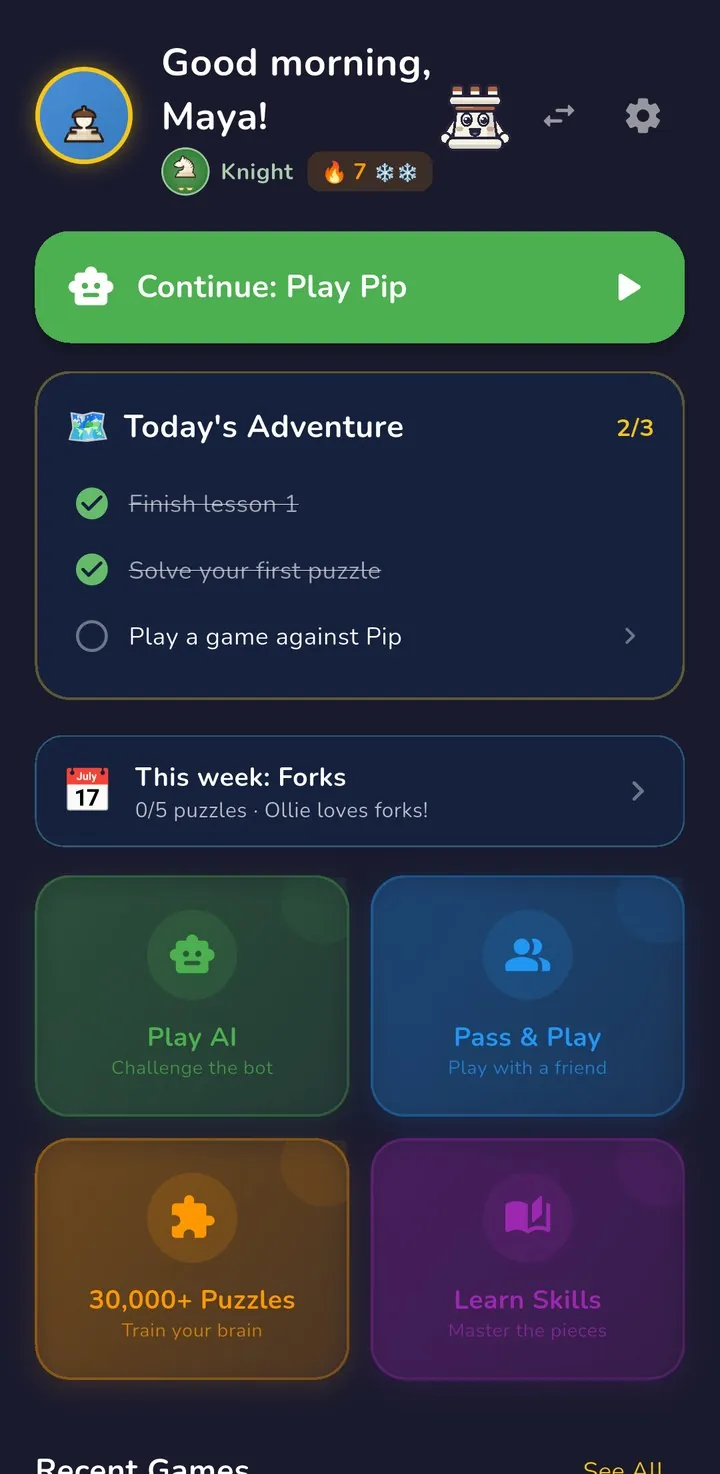
Pick who is playing, then press the big green Continue button on Home: it always starts the next lesson, today's puzzle or a game against the right bot. Four doors on Home lead to Learn Skills, Play AI, Pass & Play and the puzzles, and everything grown-ups control sits in Settings, behind a grown-up check.
Where do you start in RankUp Chess?
- Pick who's playing. The first screen asks Who's Playing? Tap a name, or Add Profile for each child: up to 8 players on one device, each with their own progress.
- Press the big green button. On Home, Continue always starts the one right next thing: the next lesson, today's puzzle or a game against the right bot. Today's Adventure under it has three small quests and a chest.
- Grown-up things ask for a grown-up. Buying, web links, backups, the Parent Dashboard and deleting a profile first ask you to press and hold a button for 3 seconds, then answer a times-table question written in words. Prefer a PIN? Settings → Parental Controls → Require PIN.
Home at a glance
- The player's picture: tap it for their profile and stats.
- Switch player (⇄): back to Who's Playing?
- Settings (⚙): the grown-up area.
- Continue: the next thing to do.
- Today's Adventure: three quests a day, then a chest to open.
- The four doors: Play AI, Pass & Play, Puzzles and Learn Skills.
Scroll down Home for More: the Daily Challenge, Puzzle Dash, fun games, the Opening Explorer and Recent Games.
Where is everything in RankUp Chess?
Home has four big doors. Everything else is further down Home, under More.
| Place | What is there | How to get there |
|---|---|---|
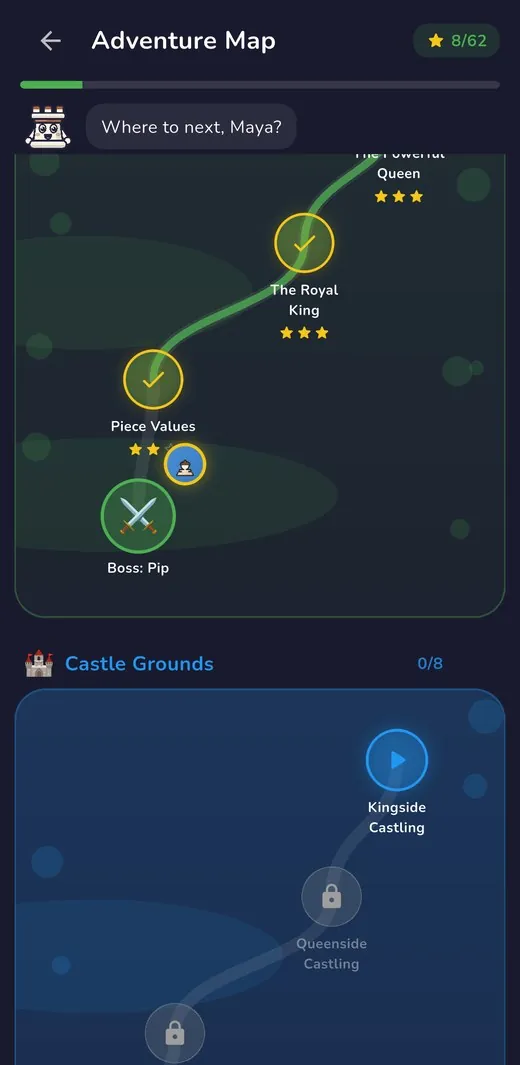
| Learn Skills | The Adventure Map: 68 short lessons that Rook reads aloud, across 9 lands from Little Garden to My First Tournament. Each land ends with a friendly boss game, and a finished land earns a certificate. | Home → Learn Skills |
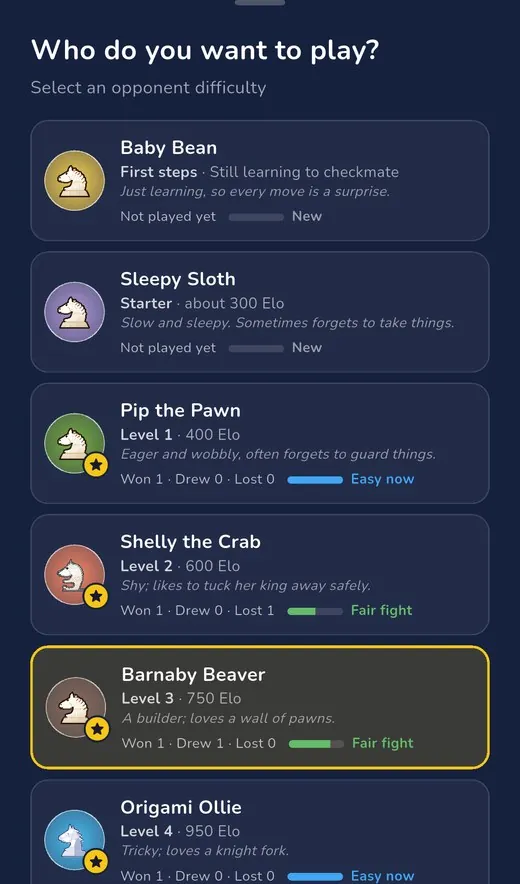
| Play AI | Choose from 12 friendly bots, from Baby Bean, who is still learning to checkmate, up to a 2400-rated bot. Each bot shows your child's wins, draws and losses against it. | Home → Play AI → Start Game |
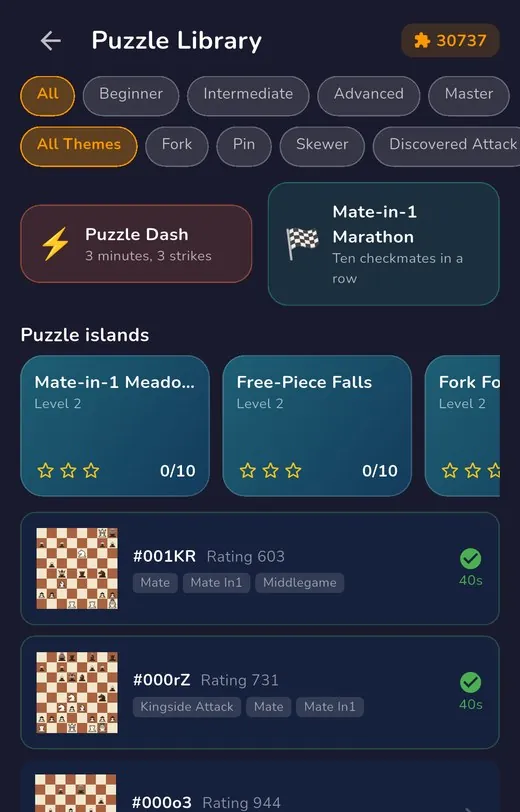
| 30,000+ Puzzles | The Puzzle Library: 30,737 puzzles by level and theme, puzzle islands, Puzzle Dash (3 minutes, 3 strikes) and the Mate-in-1 Marathon (ten checkmates in a row). | Home → 30,000+ Puzzles |
| Pass & Play | Two players, one screen. Switch on Auto-Rotate Board in Settings → Board to have each player's pieces at the bottom on their turn. | Home → Pass & Play |
| Daily Challenge | Today's puzzle, picked for your child's level, with hints and a skip. Free every day; the unlock makes it unlimited. | Home → scroll to More |
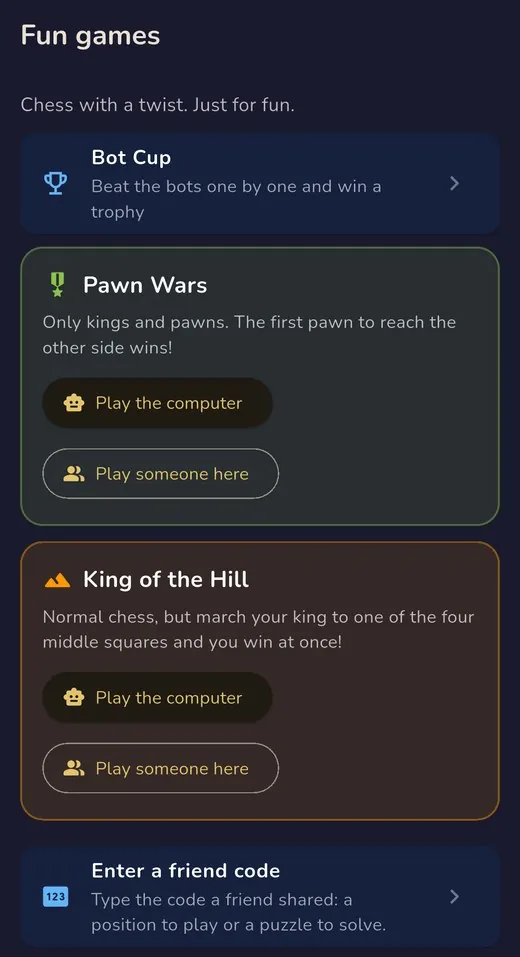
| Fun games | Bot Cup, Pawn Wars, King of the Hill, Enter a friend code (a position or puzzle a friend shared) and a club tournament on one device or real boards. | Home → scroll to More |
| Recent Games | The latest games: tap one to replay it. The full review, which grades every move, is free once a week and unlimited with the unlock. | Home, above More |
What can grown-ups control in RankUp Chess?
Settings is the ⚙ at the top right of Home. From top to bottom, with the sections that ask for the grown-up check marked:
- UnlockGrown-up
- At the very top: the one-time unlock, with Restore Purchase on its screen. Once unlocked, it says so.
- Board
- Board theme (8 to choose from), tap or drag to move, a bigger board, legal-move hints, coordinates, and Auto-Rotate Board for Pass & Play.
- Audio
- Sound effects and music, each with its own volume.
- Accessibility
- Haptics, piece labels and high contrast.
- AI
- How fast the computer moves, the bots' speech bubbles, and how much Rook talks in practice games.
- Parental ControlsGrown-up
- Require PIN, the Parent Dashboard, grown-up cards in lessons, nearby play and more.
- Healthy playGrown-up
- A daily time limit, a bedtime, break reminders and one gentle daily reminder. A game in progress always finishes first.
- Account
- Switch to a different player.
- About & Legal
- Send feedback, privacy policy, licences.
- Backup & RestoreGrown-up
- Export a full backup of every player's progress, restore from a backup, or export your data as CSV.
The grown-up check
Press and hold the button for 3 seconds, then type the answer to a times-table question written in words, such as "What is seven times eight?". Too many wrong answers pause it for a short while. With Require PIN on, your PIN is asked instead.
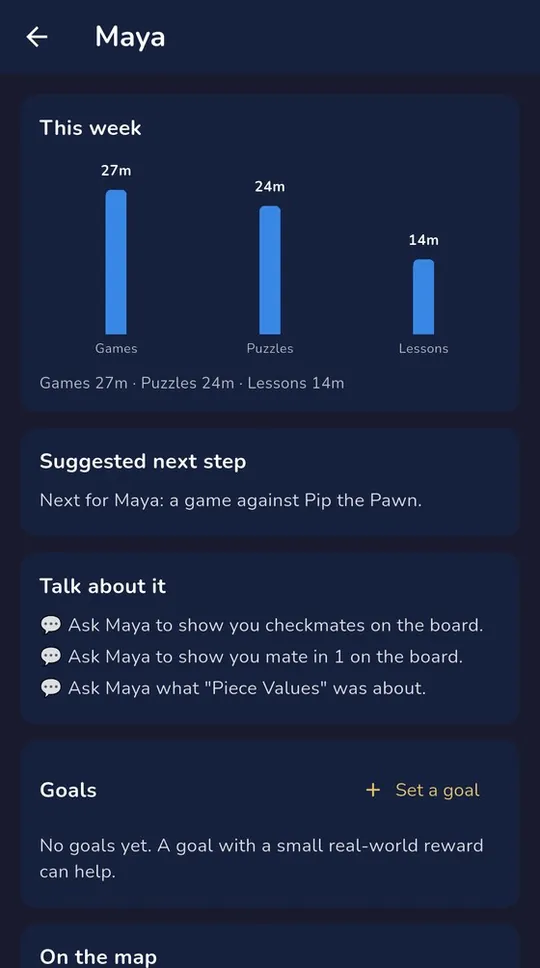
Set a goal together
In the Parent Dashboard, open your child's page and tap Set a goal. A goal with a small real-world reward can help: Home shows it to your child and celebrates when it is reached.
What is free, and what does the one-time unlock add?
Free, for good
- Every rule of chess, in the first three lands: Little Garden, Beginner Village and Castle Grounds
- Friendly bots up to Level 3, and Pass & Play
- Daily Challenges and Pawn Wars
- Four board themes: Treehouse, Classic, Coral Reef and Sing-Along
- One full game review a week
- Up to 8 players on a device
One unlock adds
- Six more lands, up to My First Tournament: 68 lessons in all
- The whole puzzle library: 30,737 puzzles at the right level
- All 12 bots, up to 2400, and Rook's coaching in every practice game
- Unlimited game reviews, the Opening Explorer and every opening adventure
- King of the Hill and all 8 board themes
- One payment, no subscription; it covers every child in your family
No ads, no chat and no account needed to play. Prices differ by country; the app shows yours.
Frequently asked questions
Does RankUp Chess need the internet?
No. Lessons, puzzles and bots all work offline. When it is online, the app checks your purchase and the prices.
We bought RankUp Chess on another device. How do we unlock it here?
On the unlock screen, tap Restore Purchase. Bought on a different kind of device? Sign in under Restore Purchase with the email you bought with: a 6-digit code arrives, and there is no password.
How do we move RankUp Chess to a new phone or tablet?
On the old device, open Settings → Backup & Restore → Export Full Backup. On the new one, choose Restore from Backup. Every player's progress comes with it.
How do I set a time limit or a bedtime?
Settings → Healthy play. Limits are checked between activities, so a game is never cut off halfway.
How do I turn the sound down?
Settings → Audio: turn the music or the sound effects down, or off.
My little one finds a lesson hard. What can I do?
Lessons can be replayed from the Adventure Map. Little Garden lessons have short grown-up cards: what to say, something to try on a real board, and when to stop.
Keep it by the device
The same guide as a 4-page A4 PDF, with the screens and an "I want to… → Go to" table, to print or save.
For grown-ups: the next free printable
One email when RankUp Chess ships something or this guide changes, the next free chess printable or song, and the dates that matter.
At most once a month. No tracking pixels. Leave in one click. What you'll get
Checked against RankUp Chess 0.11 (build 33) on 31 October 2026. Source: the app itself; the screens are real captures from version 0.11.0, unedited. Still stuck? support@stillwareltd.com. All guides and help.